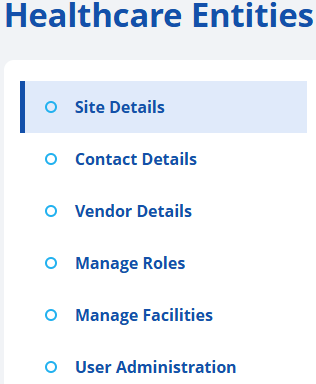
Add a New Healthcare Entity Site
-
Click on the Healthcare Entities button, located on the left-hand side of the screen.

-
Click on the + Add Site button.

-
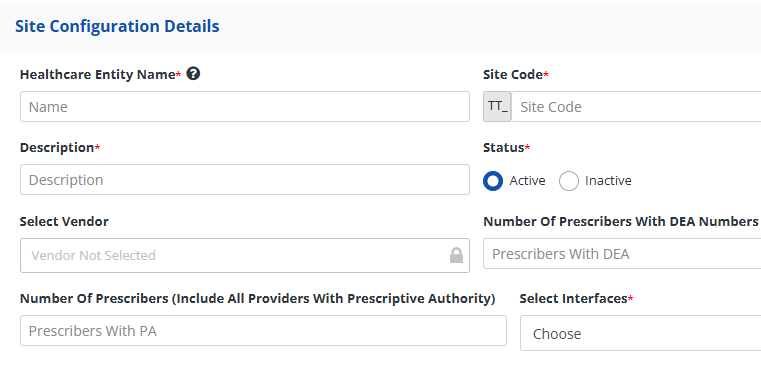
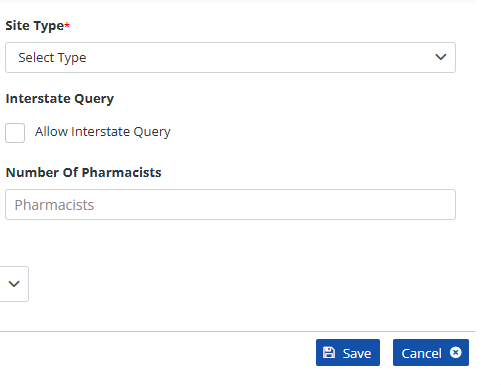
Populate the Site Configuration Details for the new healthcare entity. Refer to the "Breakdown of Healthcare Entity Site Details" section below for field-specific guidance.
-
To populate the "Select Vendor" field, you must first click on the small lock symbol within the field.

-
To exit without saving, click the Cancel button.

-
To save the populated site information, press the Save button.

-
Wait patiently as your site is being created.

-
Populate additional details as requested in the corresponding data fields for each section.
Refer to the "Breakdown of Healthcare Entity Site Details" section below for field-specific guidance.