
Analytical Insights
The Analytical Insights dashboard allows each state to analyze prescription trends and patterns at a high level. It provides visibility into how prescriptions from other states are being dispensed within the state, as well as how the state's own prescriptions are being filled outside its borders. This feature supports the identification of individuals traveling from other states to fill prescriptions and highlights out-of-state pharmacies dispensing prescriptions written in the user's state.
It is important to note that all posted data and visualizations are based on:
- Aggregate data
- Anonymized data
- No PHI or PII data is disclosed
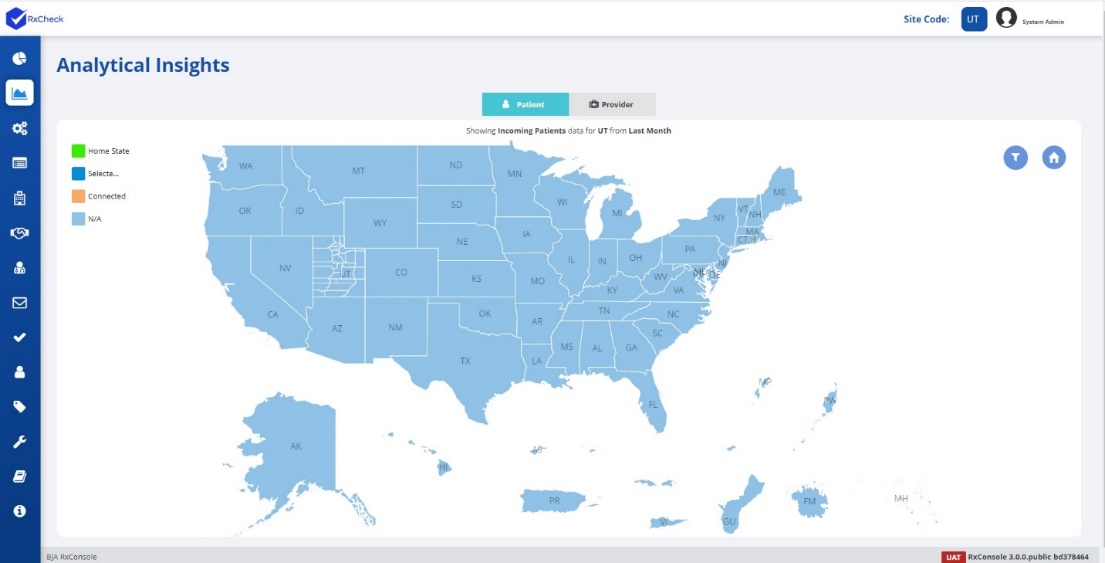
For the Analytical Insights dashboard to function in the RxConsole, a state will need to send Non-PHI and Non-PII data to the Insights API, where it can then be added to the database and displayed within the RxConsole.

A state PDMP Administrator wishing to participate in this module, will need to submit data to the RxCheck Team. This data should be free of PHI and PII before being submitted. The following data is required for the Analytical Insights dashboard to begin functioning:
- The month for which the data is submitted
- The PDMP that is posting the data
- Zip code, county, or state from where the prescriptions were dispensed
- Total number of dispenses by zip code, county, or state
- Total number of out-of-state dispenses (for patients and/or providers) by the zip code, county, or state
- Total number of providers, patients, and prescriptions
Some information to keep in mind regarding the Analytical Insights Feature:
- A state's participation is voluntary
- Data does not contain PHI or PII
- Access is limited to authorized PDMP staff members from a participating PDMP and RxCheck Support Personnel for system administration
- The PDMP controls their data and determines:
- Level of detail (Rx general location information) for the data
- Which other PDMPs to engage
- No cost is imposed to participate or use this tool
- Free assistance is available to develop the data file
- If desired, a state can request a user agreement for this tool detailing access and use parameters for PDMPs
Below, there is an example for a submission for provider information submitted from Kentucky (sample data).
{
  "PDMPAnalyticsData": {
    "FilledDate": "03/17/2023",
    "PublishState": "KY",
    "DispenseDataByZip": {
      "dispenseZip": "41008",
      "totalDispense": "100",
      "totalOutofStateDispense": "5",
      "ProvidersFilledFromOutState": [
        {
          "filledStateCode": "WV",
          "filledFromZip": "24712",
          "totalProviders": "2",
          "totalPrescriptions": "3"
        },
        {
          "filledStateCode": "TN",
          "filledFromZip": "37011",
          "totalProviders": "1",
          "totalPrescriptions": "1"
        },
        {
          "filledStateCode": "IN",
          "filledFromZip": "46077",
          "totalProviders": "1",
          "totalPrescriptions": "1"
        }
      ]
    }
  }
}
After data has been submitted, the map should begin to populate in the Analytical Insights module within RxConsole.