
View Incoming and Outgoing Requests
-
Click on either the Incoming or Outgoing button located below the filters on the RxCheck Dashboard screen. This will allow you to view the selected requests.
Note: The Incoming option is selected and displayed by default.
-
Perform the steps from the "Apply filters to the RxCheck Dashboard" section of this guide.
-
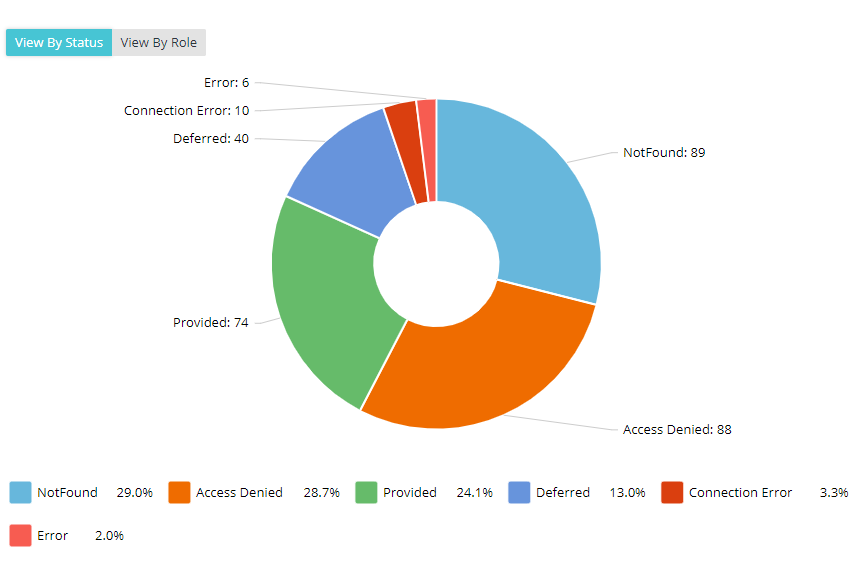
Select the View by Status button to view a graphical representation of the data, based on the status.
-
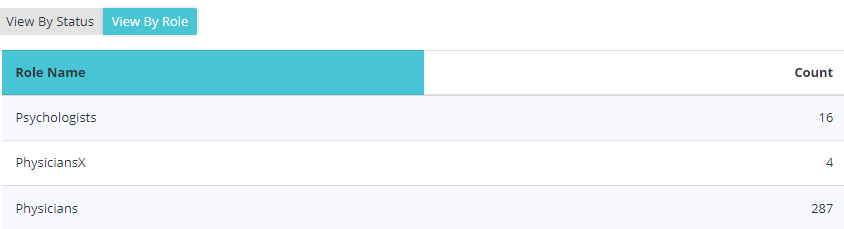
Select the View by Role button to view the total count of requests made by professionals in a certain role.
Note: The steps are the same between incoming and outgoing requests.