Search for Integration Requests
-
Click on the Integration Requests button, located on the left-hand side of the screen.

-
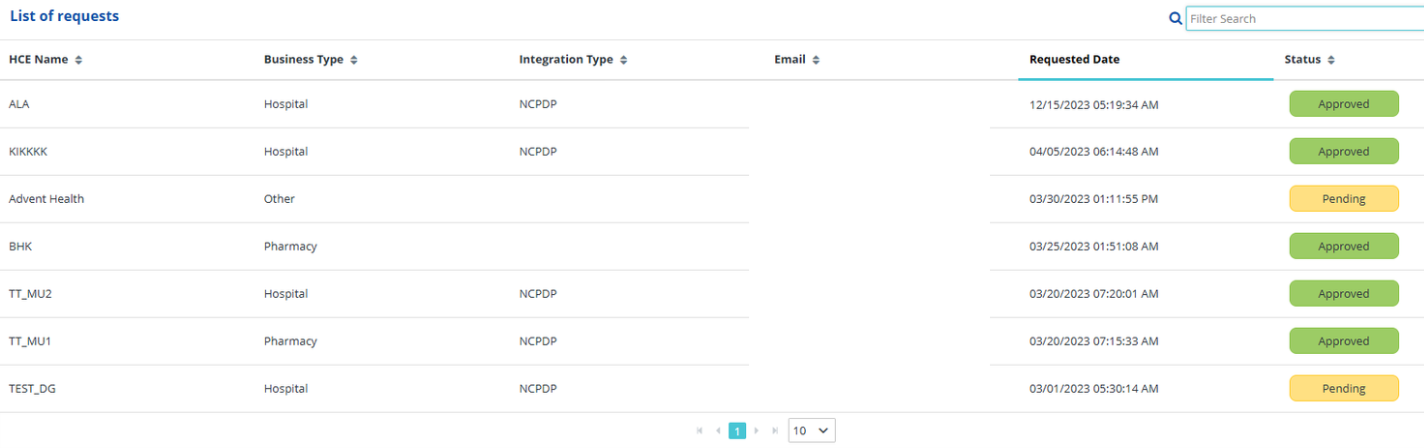
Locate the integration request you are searching for by either:
- Scrolling through the listed requests, or
- Searching for the facility in the Filter Search bar.
Note: You can search for information under any of the columns. For example, searching for "Pharmacy" will show all integration requests with the Business Type of Pharmacy.
-
-
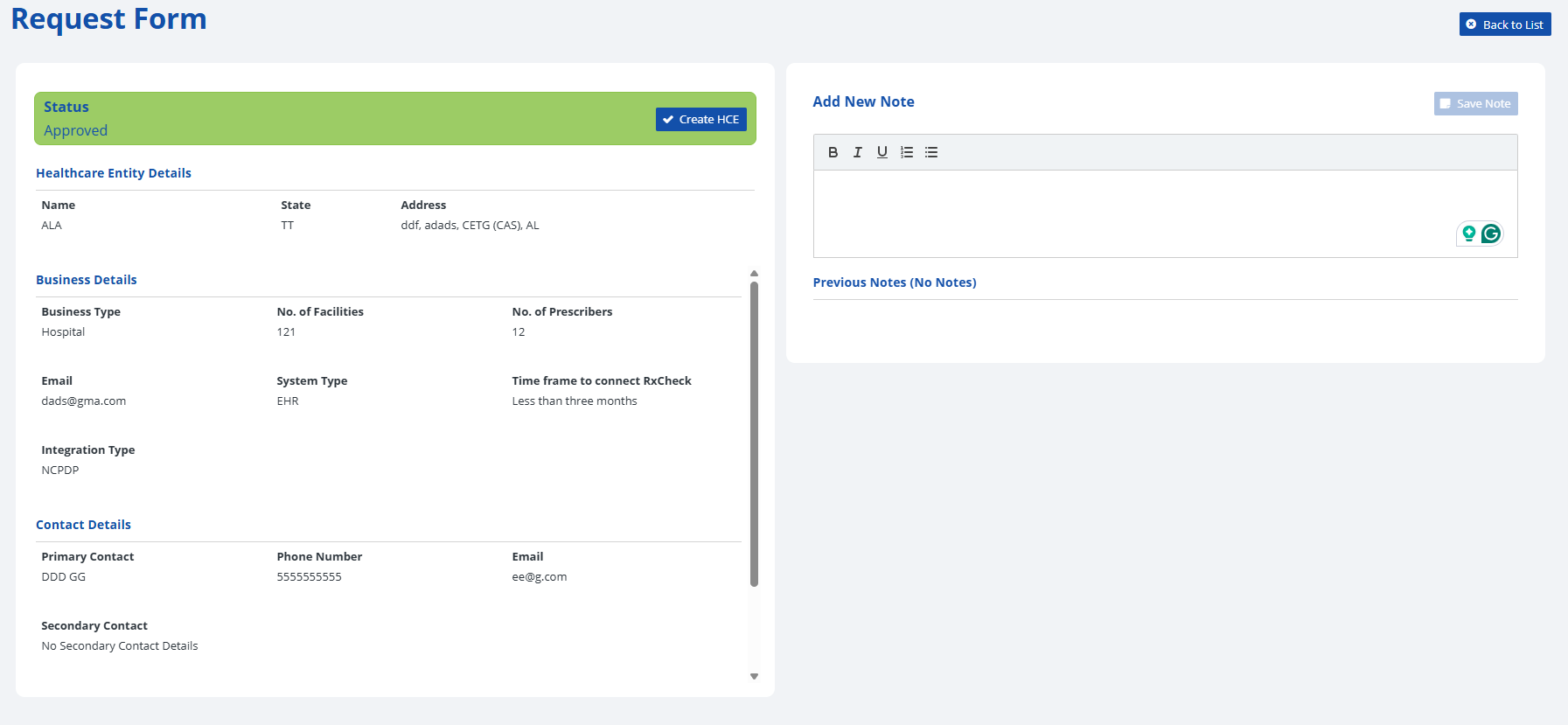
Click on a desired integration request to view further details regarding the request. A request form which contains details regarding the status, healthcare entity, business details, contact information, and other related integration information will be displayed.
-
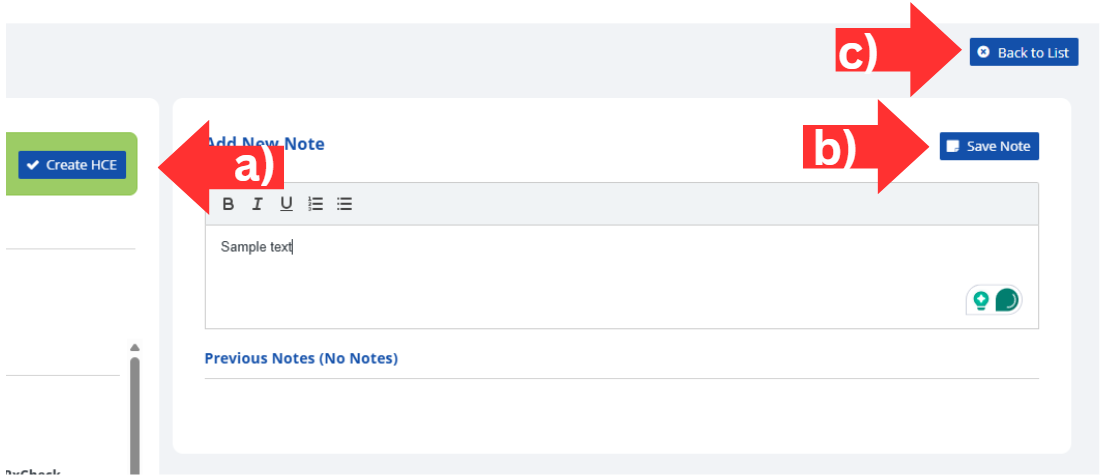
In addition to viewing additional details, you can also perform the following options:
- Create a new healthcare entity from the information included in the request by clicking the Create HCE button.
- Add a new note to the integration request by typing into the text box labeled Add New Note and then clicking on the Save Note button.
- Return to the integration list by clicking the Back to List button.