
Configuring the Required Fields
Each State PDMP Administrator can configure the PMIX fields required in the request message to search for a patient in the PDMP system. The name-matching algorithm implemented within the PDMP system determines these required fields.
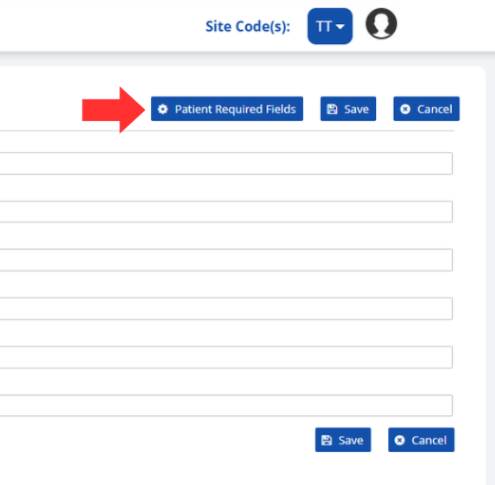
A PDMP Administrator can configure these fields by navigating to the SRS Configuration page and clicking on the Patient Required Fields button.
Set the required fields for the patient prescription drug history (PPDH) and the patient prescription picklist (PPPL) queries.
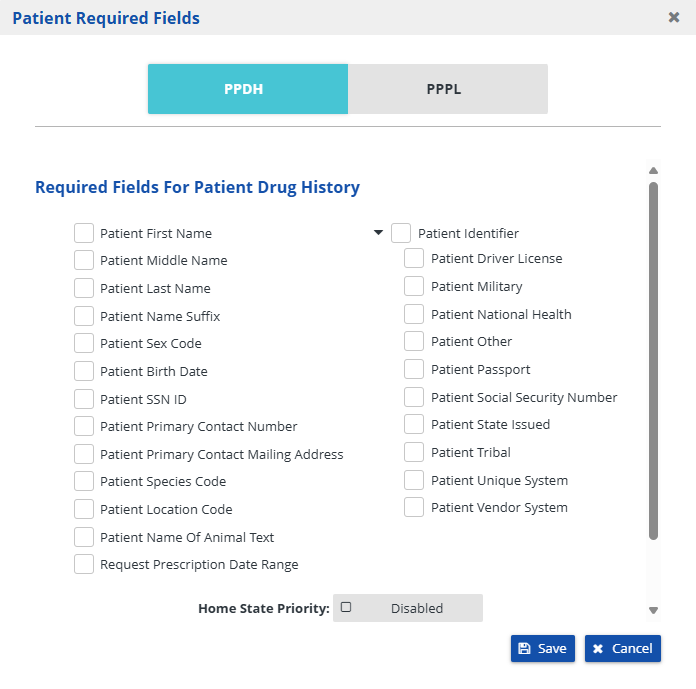
When processing an integration request involving a federated query, you can choose to enforce your state's data requirements by enabling the Home State Priority option. This will reject the entire request if it does not meet the required fields defined by your state.
