
System Information
The System Information feature presents a graphical map of the United States, illustrating the deployment and connection status of each state within the RxCheck network.
The screenshot below displays the U.S. map with color-coded indicators representing each state's current integration status with the RxCheck System. The accompanying table provides an explanation for each color code used in the visualization.
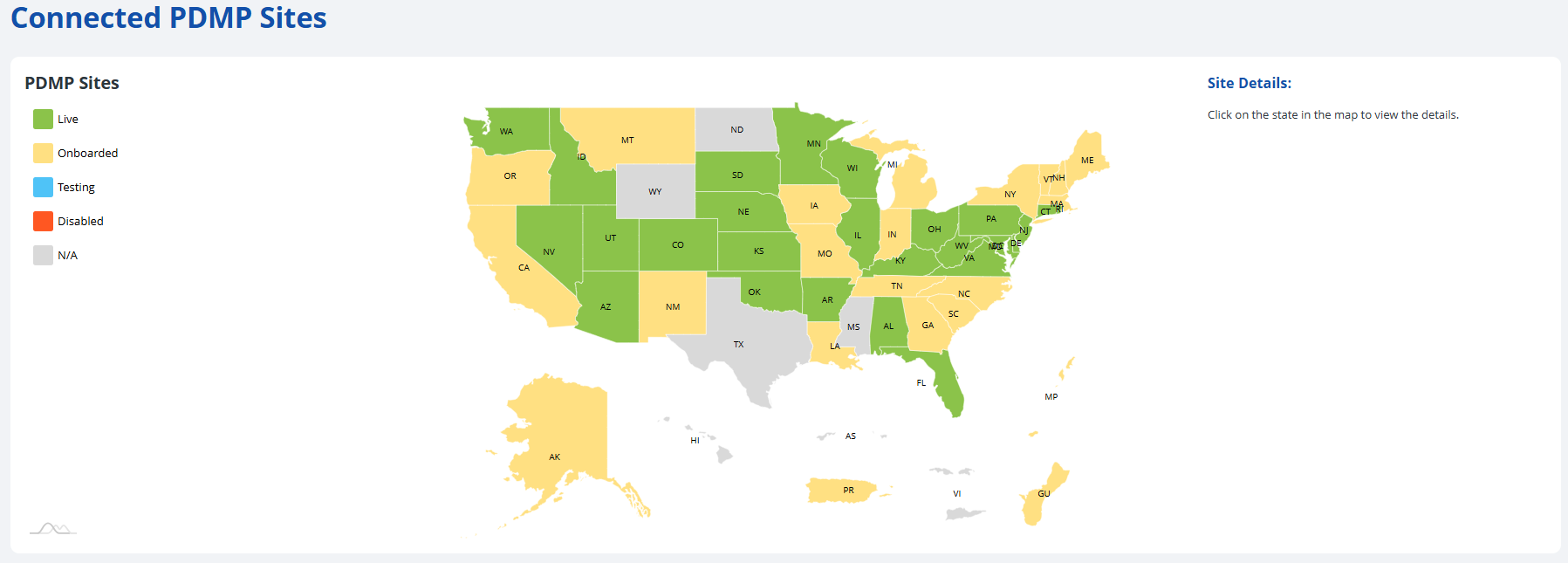
| Status | Color Code | Color |
|---|---|---|
| Live | Green |  |
| Onboarded | Yellow |  |
| Testing (or hovering) | Blue |  |
| Disabled | Orange |  |
| N/A | Gray |  |
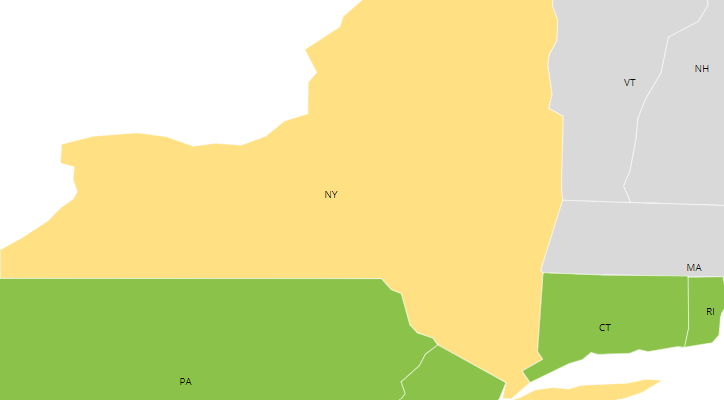
Users can zoom into any region of the map by double-clicking on the respective area(s). The screenshot below shows a zoomed-in version of New York and Connecticut.
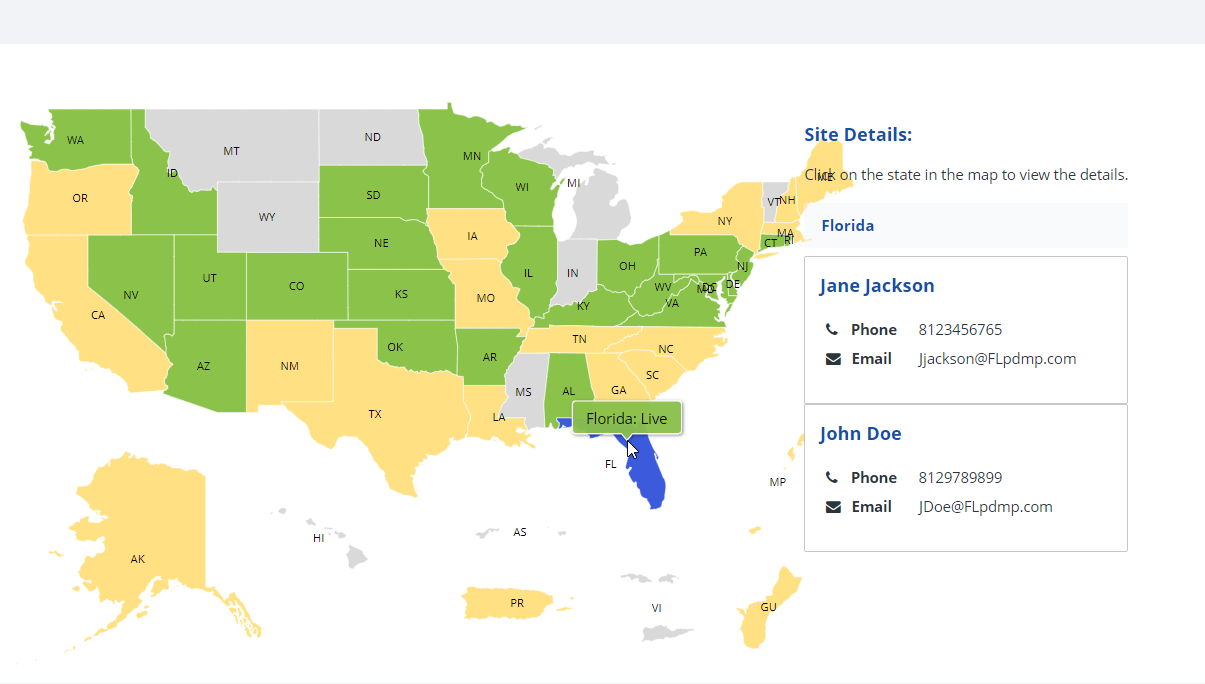
Clicking on each state will also display additional site details, such as the phone and email address of the point-of-contact person for that state, as seen in the diagram below.
The following subsection contains step-by-step instructions on how to view the system information for connected PDMP sites in the RxConsole application. For additional clarity, each step is accompanied by a corresponding image or screenshot that depicts the action described.