Home › State Routing Service (SRS) Configuration
State Routing Service (SRS) Configuration
Every state PDMP officially onboarded into the RxCheck system will have a routing service installed that allows it to send and receive messages from other states. Message content between states is encrypted for privacy and security purposes and can only be accessed and decrypted by the state intended to receive the message.
Note: If your state does not have an SRS currently installed, one will need to be installed before connecting to the RxCheck Hub. While you can log into the RxConsole application, some functionality will not work without the PDMP connected. The latest SRS installation files can be found here:
https://rx-check.org/Hub/ConnectionTools.
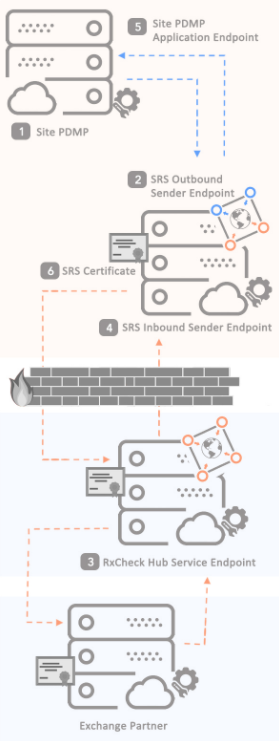
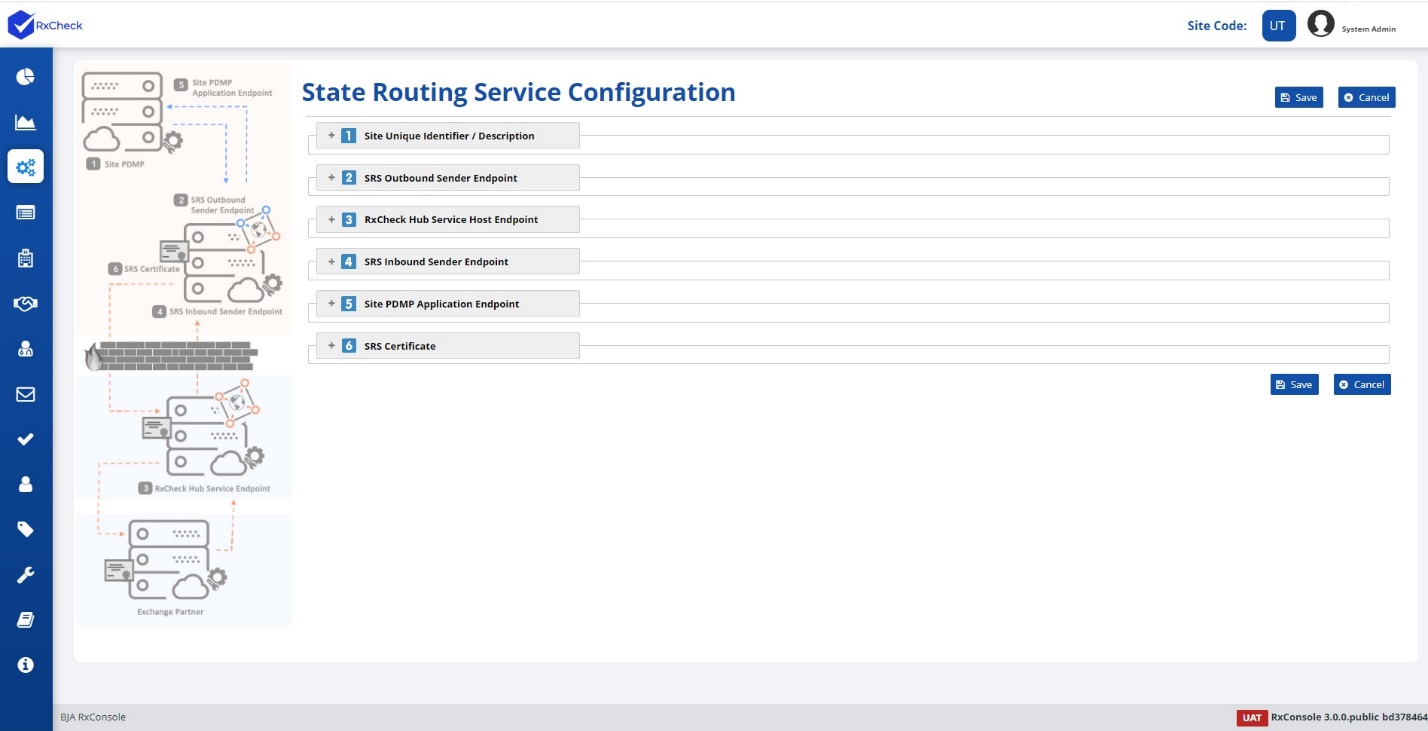
One of the initial responsibilities assigned to a State PDMP Admin is the configuration of their State Routing Service (SRS). The State Routing Service is a software that facilitates the successful transmission of messages between Health Care Entities and PDMP states. Configuring the SRS is a six-step process, and each of these steps is listed below, as well as graphically depicted in the diagram on the left.
To configure the State Routing Service, the State PDMP Admin will need to enter the requested information into the data fields present under each section of the State Routing Service Configuration page. A detailed explanation of each section and its corresponding data fields are provided below.
State Routing Service Configuration Process for a PDMP State:
- Site Unique Identifier/ Description.
- SRS Outbound Sender Endpoint.
- RxCheck Hub Service Host Endpoint.
- SRS Inbound Sender Endpoint.
- Site PDMP Application Endpoint.
- SRS Certificate.
The following subsections contain instructions on how to configure the State Routing Service in the RxConsole application. For additional clarity, each step is accompanied by a corresponding image or screenshot that depicts the action described.
