
Healthcare Entities
A Healthcare Entity (HCE) refers to any licensed healthcare provider or organization that is authorized by its respective state to deliver professional healthcare services. This includes:
- Individual providers licensed to practice healthcare,
- Healthcare organizations employing licensed professionals, and
- eHealth Exchange organizations recognized by the state for providing licensed healthcare services.
A healthcare entity can only submit patient data requests and receive responses through RxCheck after it has been officially onboarded into the state's RxCheck system.
When a new healthcare entity expresses interest in participating in RxCheck, the State PDMP Administrator can initiate onboarding by creating a new entity site. This is done by clicking the + Add Site button located in the top right corner of the Healthcare Entities page.
Administrators can also view and manage existing healthcare entity records associated with their state. The full list of onboarded entities can be accessed by selecting the Healthcare Entities icon from the left-hand navigation panel.
The screenshot below displays an example list of onboarded healthcare entities within a state's PDMP system. The accompanying table provides definitions for each column heading shown in the interface.
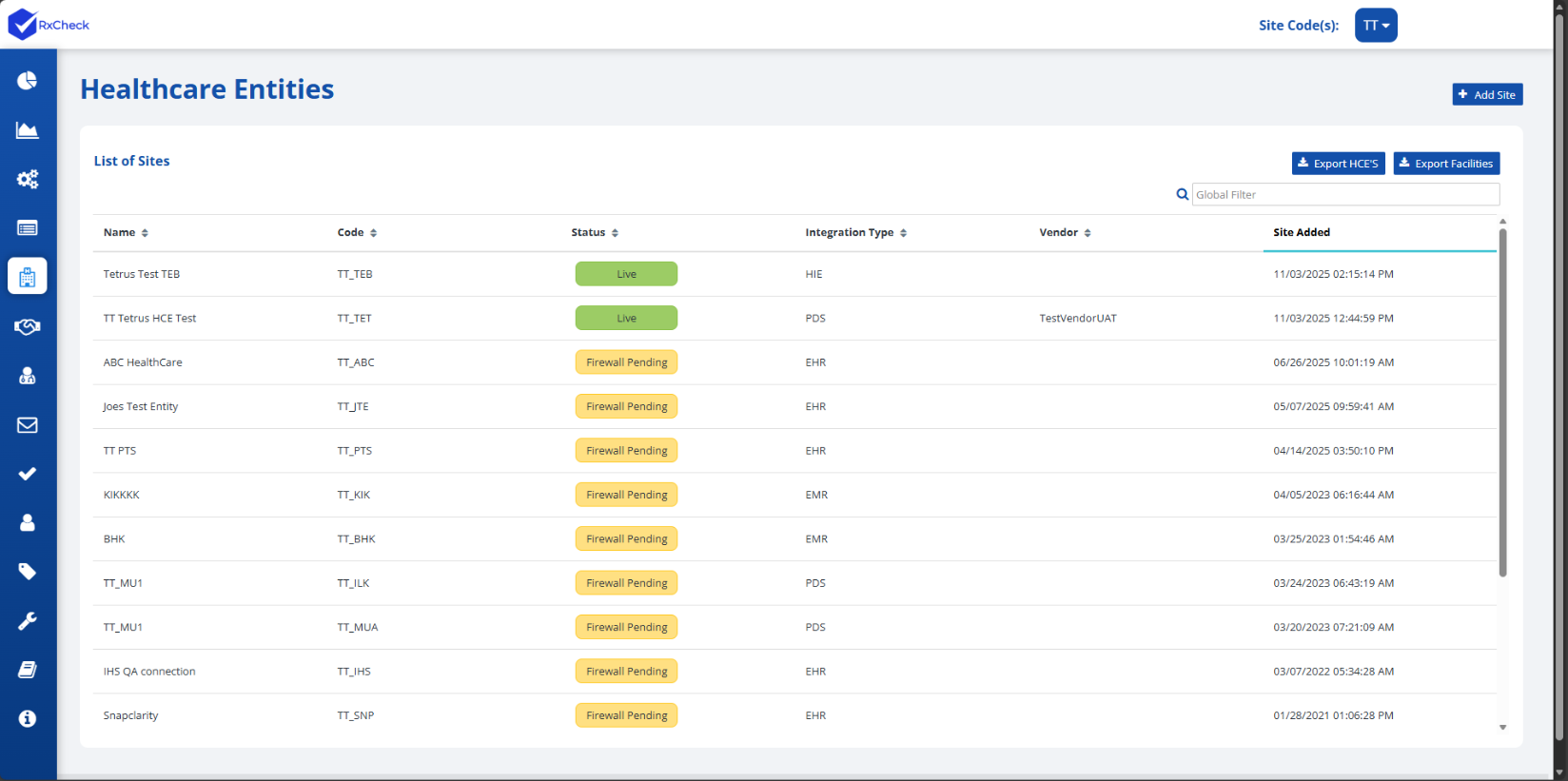
| Heading | Description |
|---|---|
| Name | The name of the healthcare entity (HCE). |
| Code | A six-character code that follows the following format:
|
| Status | Indicates the current status of an HCE.
|
| Integration Type | Refers to the site type value that was selected when the HCE was created. This value will be displayed as one of the following:
|
| Vendor | The integration vendor for the healthcare entity. |
| Site Added | Date and time when the HCE site was created. |