Approve or Revoke Requests
-
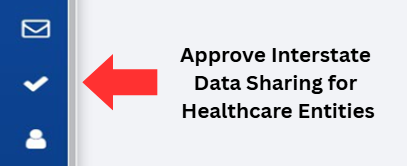
Click on the Approve Interstate Date Sharing for Health Entities button, located on the left-hand side of the screen.
-
Select a PDMP site from the list of PDMP sites, located on the left side of the screen.
Note: QQ has been selected for demonstration purposes.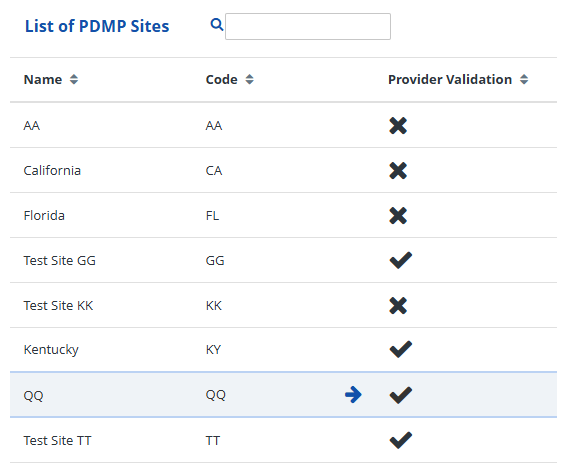
-
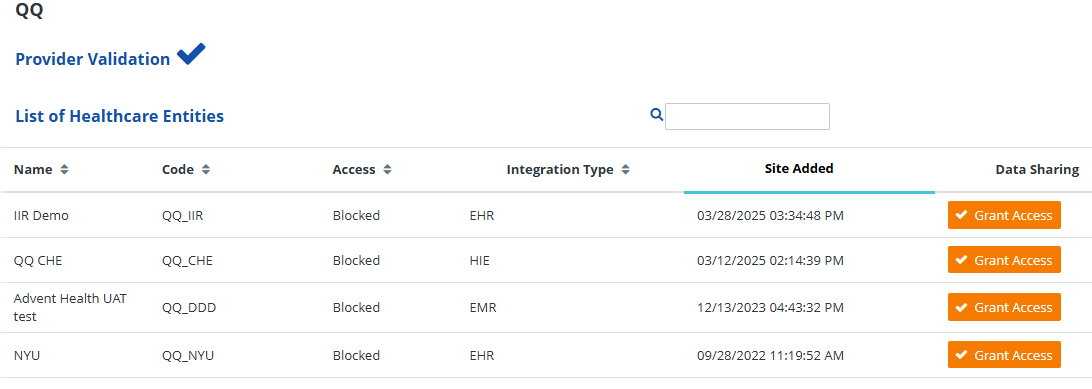
Review the list of HCE’s associated with the selected site, as displayed on the right-side of the screen.
-
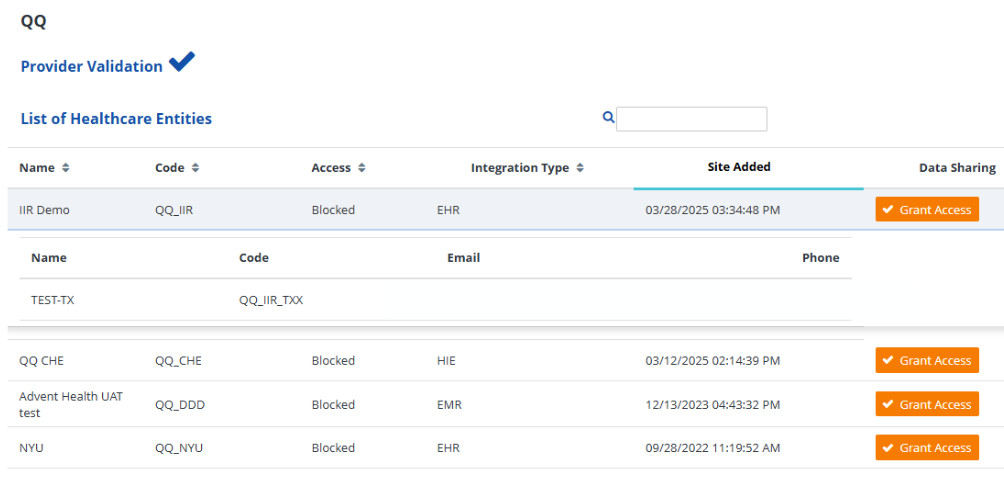
Click on a healthcare entity to view expanded details relating to its site configuration and facilities data.
-
Grant or revoke data-sharing access to a healthcare entity by:
- Pressing the orange Grant Access button to enable interstate data-sharing for that site, or
- Pressing the blue Deny Access button to disable interstate data-sharing access for that site.


-
Verify that your action has been successfully implemented by looking for the following alerts:
- If access was granted, an alert that states “Site Unblocked Successfully”, or
- If access was revoked, an alert that states “Site Blocked Successfully”