
View and Add a Datasource for Provider Validation
-
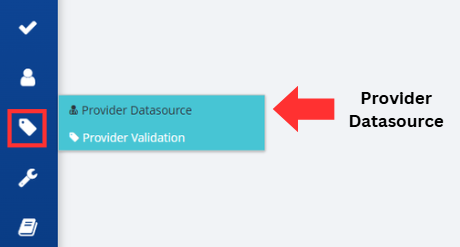
Click on the Provider Management button, followed by the Provider Datasource option, located on the left-hand side of the screen.
-
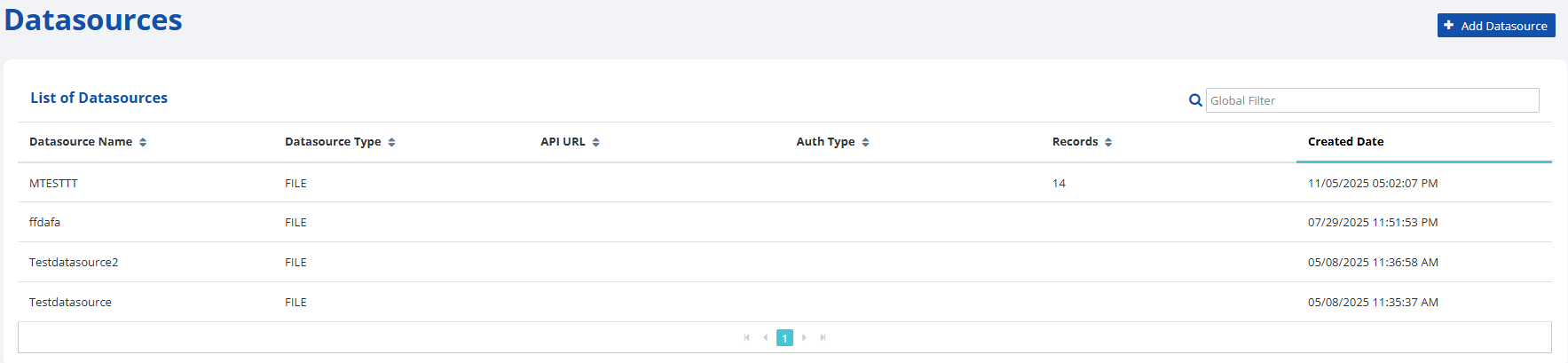
The Datasources screen allows you to view previously uploaded datasources.
Refer to the following table for a description of each column header.
-
-
To add a new provider datasource, press the Add Datasource button. For instructions on adding a new datasource, see the subsection titled, Add a new Datasource File later in this guide.

-
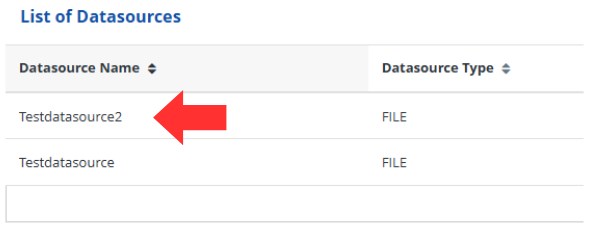
To view a previously entered datasource, click on a datasource name in the List of Datasources.
| Header | Description |
|---|---|
| Datasource Name | The name entered by the PDMP administrator referencing this unique datasource. |
| Datasource Type | Identifies the datasource type as a File or API. |
| API URL | The URL for the API to call for provider identification. |
| Auth Type | The authorization method for calling the API. |
| Records | The number of records on the datasource in this row. |
| Created Date | The date and time the datasource was added into the RxConsole. |