Download the Hub Audit Logs
The RxConsole application allows PDMP Administrators to download a copy of their audit logs. When downloaded, the audit logs are packaged as a zipped file.
After downloading the zipped file, users can extract its contents and save them to a preferred location on their computer. The extracted file is in Comma-Separated Values (.csv) format and can be opened using Microsoft Excel or any other software that supports CSV files.
-
Perform any filtering desired using the steps in the previous section.
-
Click on the download button on the right-hand side of the screen.

-
The hub audit logs will be saved to your computer in a zipped folder.
-
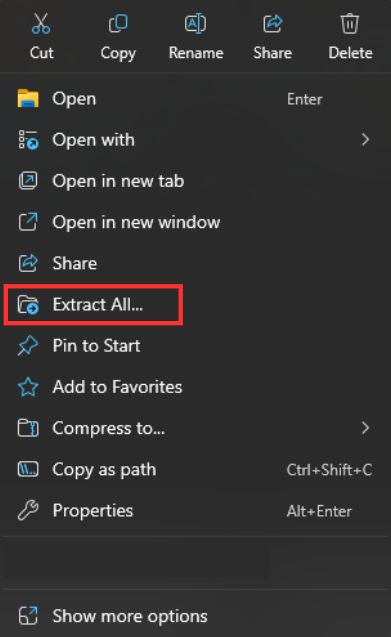
Right-click on the zipped folder to view options.
Select the "Extract All…" option.