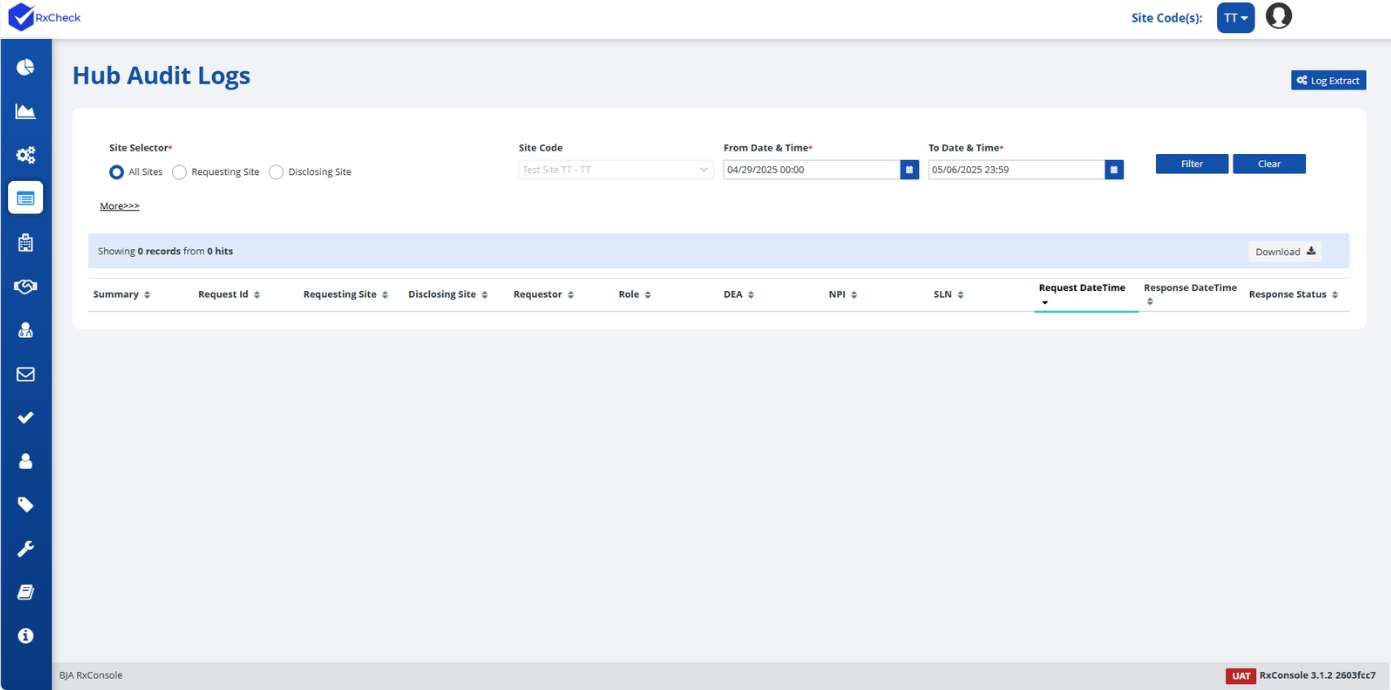
Hub Audit Logs
The Hub Audit Log captures detailed records of all incoming and outgoing transactions processed through the RxCheck Hub. This feature provides State PDMP Administrators with visibility into:
- The number of requests received by their state,
- The number of requests sent to other states, and
- The status of each transaction (e.g., Successful, Access Denied, Deferred, Failed due to Connection Error, etc.)
An Audit ID is automatically generated for each transaction that reaches the RxCheck Hub. These records are summarized and displayed in the Hub Audit Log section of the RxConsole application.
By clicking on an Audit ID, administrators can view a detailed summary of the associated transaction, including both request and response details involving the PDMP state. The Hub Audit Logs are also a valuable tool for diagnosing failed transactions and identifying the root cause of communication issues.
The following subsection provides step-by-step instructions for viewing the Hub Audit Logs within the RxConsole interface. Each step is accompanied by a screenshot to assist with navigation and understanding.