
Reset the Password for Your RxConsole Account
Users can change their password for security purposes or other reasons by following the instructions below. It is recommended that your password be updated every 30 days for increased account security.
-
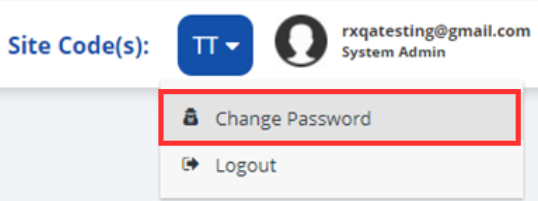
Click on your username on the top right-hand corner of the screen.

-
Select the Change Password dropdown option.
-
-
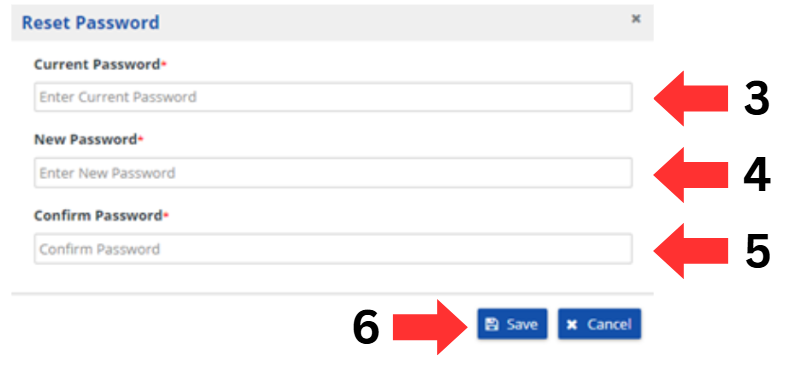
Enter your current password in the "Current Password" box.
-
Enter your new password in the "New Password" box.
-
Re-enter your new password in the "Confirm Password" Box.
Note: This ensures the user enters the new password as intended. -
Click on the Save button to implement the password change.
-