
Site Selection
A vendor admin account is granted access to all connected states by default. To provide EHR integrations for a state, at least one SRS is required for that state. This means that a vendor admin will need to set up a new SRS for each state they provide integrations for.
The following subsection details how you can switch between different sites (PDMPs).
-
In the top right corner of the RxConsole Screen, you will see the Site Code(s) Selector.

-
Press the blue dropdown to open a new window that allows you to select a new site.

-
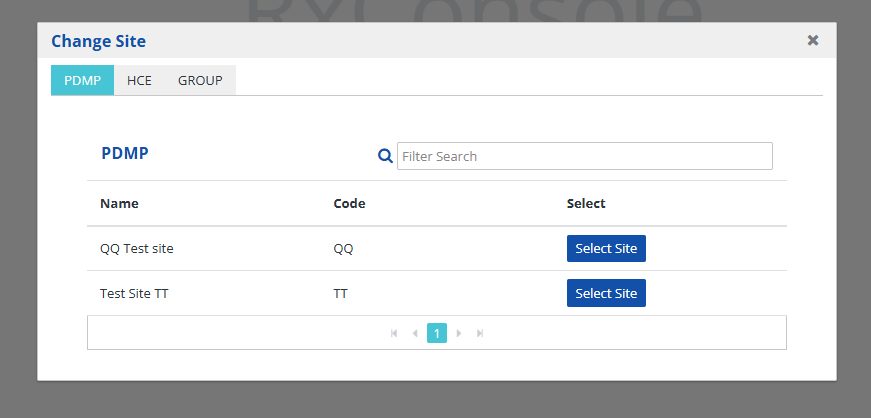
You will see the following window display titled Change Site.
-
By clicking on the desired tab, you can search for the PDMP, HCE, or GROUP(s) you have access to.

-
To navigate to a desired site, press the Select Site button.

-
Verify that your site has changed by viewing the two-letter code in the blue dropdown box in the top right corner of the RxConsole.
